Enable Internet Monitor from the CloudFront console
It’s quick and straightforward to enable monitoring with Internet Monitor from the CloudFront console. Follow these steps to set up monitoring.
Step 1. Sign in to the AWS Management Console and navigate to Amazon CloudFront. Then, under Telemetry, choose Monitoring, as shown in the following screenshot (Figure 1).

Step 2. Select a distribution, and then choose View distribution metrics, as shown in the following screenshot (Figure 2).

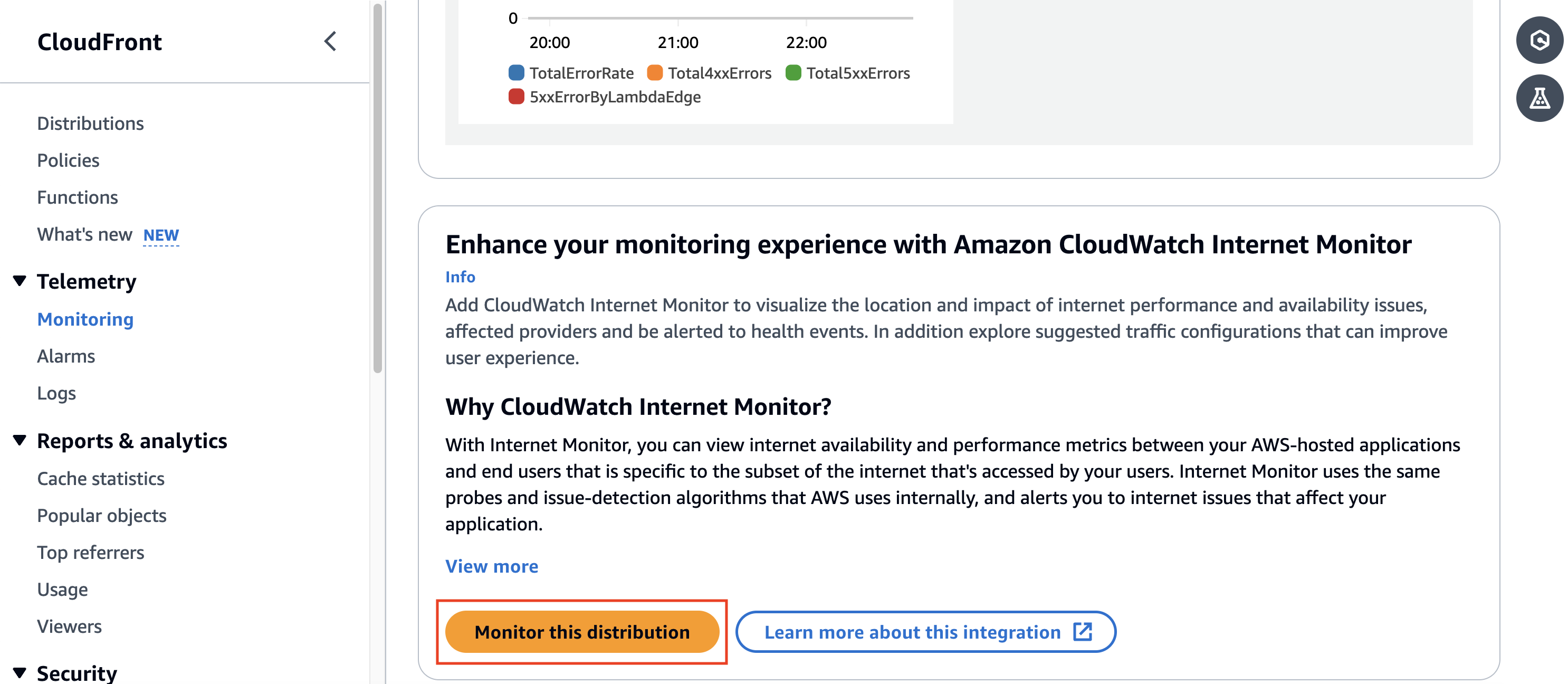
Step 3. On the Distribution metrics page, scroll down to Enhance your monitoring experience with Amazon CloudWatch Internet Monitor. To set up monitoring, choose Monitor this distribution, as shown in the following screenshot (Figure 3).

No hay comentarios:
Publicar un comentario